Website designFree→ v0 / Lovable
Dark Mode SaaS Dashboard UI
An admin dashboard shell: sidebar nav, stat cards, and a data table.
What you get: A dark-themed app shell with a left sidebar, top stat cards, and a table below.
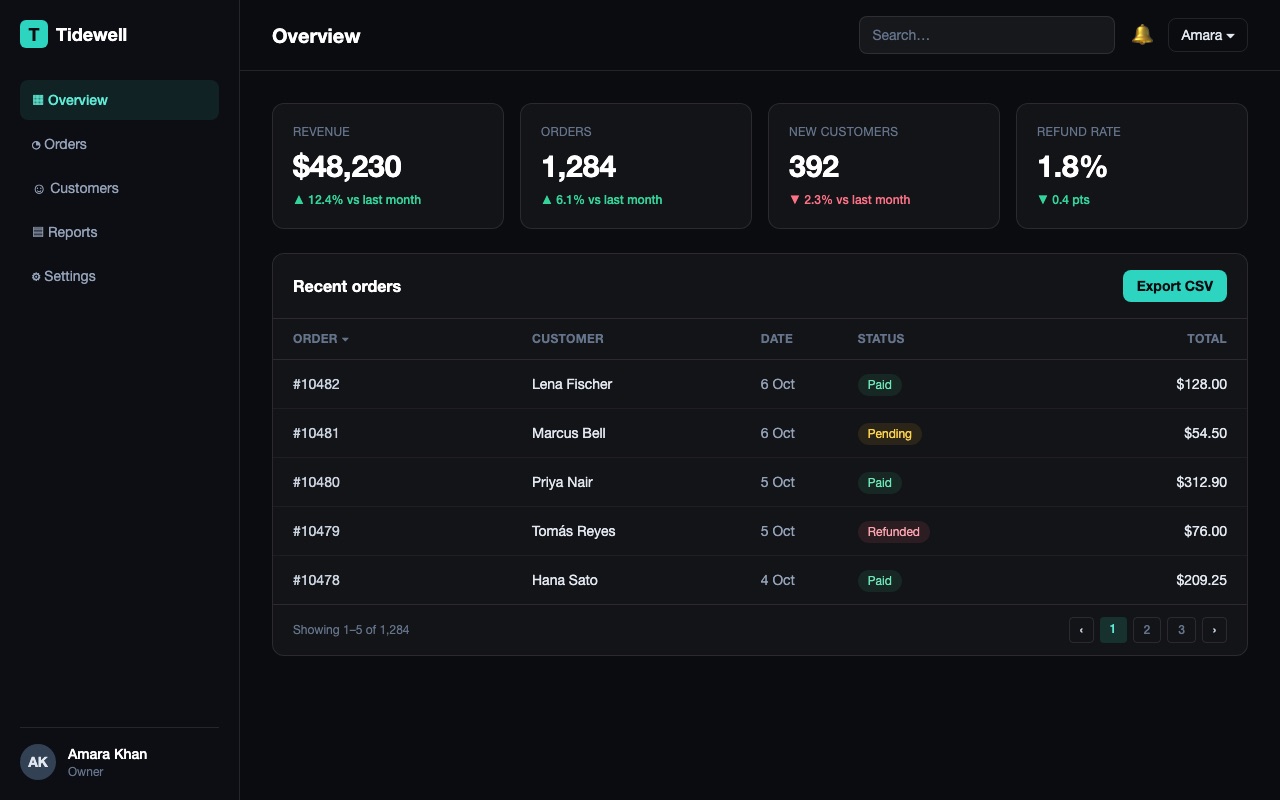
Example output. A simplified example of what this prompt can produce, made by Claude from the prompt using the sample values below. Names, prices and reviews are invented, and your result will differ with your own values and the tool you use.
- product_name:
- Tidewell
- nav_items:
- Overview, Orders, Customers, Reports, Settings
- stat_1:
- Revenue
- stat_2:
- Orders
- stat_3:
- New customers
- stat_4:
- Refund rate
- table_subject:
- recent orders
- accent_color:
- teal
Build a dark-mode dashboard UI for {{product_name}}.

Layout:
- Left sidebar (240px), dark background, logo at top, nav links: {{nav_items}}, user avatar + name at the bottom
- Top bar: page title, search input, notification bell, user menu
- Content area: a row of 4 stat cards ({{stat_1}}, {{stat_2}}, {{stat_3}}, {{stat_4}}) each with a label, big number, and a small trend indicator
- Below the stats: a data table listing {{table_subject}}, with sortable columns and pagination

Color palette: near-black background (#0b0c10), one accent color ({{accent_color}}) for primary actions and active nav state, subtle borders instead of heavy shadows. Use Tailwind CSS.